
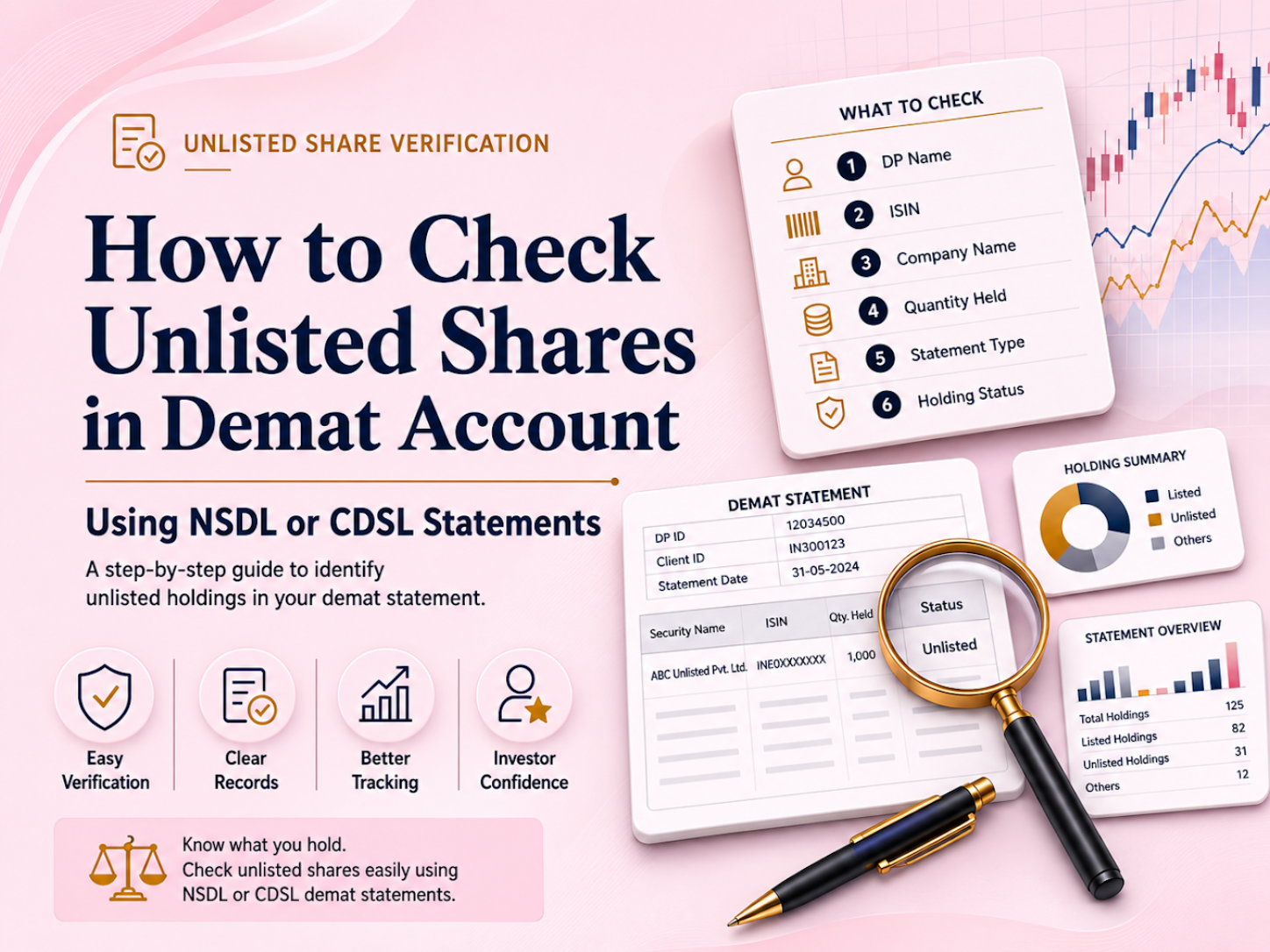
To understand how to check unlisted shares in a demat account, verify the security in an official holding or transaction statement issued through your Depository Participant, NSDL or CDSL. The statement should show the company’s legal name, ISIN, quantity credited and transaction details. Do not rely only on a broker dashboard, payment receipt or seller screenshot. A purchase is properly evidenced when the shares appear in the buyer’s own demat account under the correct security identifier and quantity, subject to any lock-in, pledge or account restriction.
Information reviewed against official SEBI, NSDL and CDSL investor resources on 22 July 2026. This article is educational and is not financial, tax or legal advice.
Verification means confirming that purchased securities have been credited to the investor’s own demat account and that the depository record matches the transaction documents.
A demat account is opened through a Depository Participant, or DP, such as a broker, bank or authorized intermediary. The electronic securities record is maintained within the NSDL or CDSL system. NSDL’s IDeAS facility allows investors to view balances and transactions, while CDSL’s easy facility allows registered beneficial owners to access holdings and transaction details online.
Unlisted shares do not trade on a recognized stock exchange, but eligible unlisted securities can still be held in dematerialized form. Their absence from an exchange screen does not prevent them from appearing in a demat statement.
Verification should answer four questions:
Payment and ownership transfer are separate events. A payment confirmation proves that money moved; it does not prove that securities were credited.
In an off-market transfer, the selling holder instructs its DP to transfer securities from the seller’s depository account to the buyer’s account. The buyer should therefore confirm the completed credit independently rather than treating an invoice or transfer promise as final evidence.
Verification can reveal:
Match the statement against the company’s full legal name, not only its brand name. The name should align with the transaction confirmation, issuer documents and ISIN record.
The International Securities Identification Number uniquely identifies the security. It is critical because one company may have equity shares, preference shares or other instruments with different identifiers.
Cross-check the ISIN using NSDL’s securities and company search and, where necessary, information from the issuer or Registrar and Transfer Agent.
A company-name match without an ISIN match is not sufficient.
The quantity should equal the number purchased after accounting for a split, consolidation, bonus issue or another corporate action.
Any difference between the agreed and credited quantity should be reconciled through the transaction documents and DP records.
The transaction statement should show the credit into the account. Compare the credit date with the settlement timeline communicated at the time of purchase.
A holding displayed in a portfolio view is useful, but the corresponding transaction entry provides a clearer record of when the securities entered the account.
The total quantity does not always show whether the investor can transfer the shares.
A free balance is generally available for transfer, subject to applicable law and account controls. A locked, pledged or frozen balance may not be immediately transferable and can affect an investor’s exit plan.
Confirm that the shares appear in the investor’s own account with the correct holder name and account identifiers.
A seller’s statement, pooled-account screenshot or intermediary ledger does not prove that the buyer has received the securities.
An unlisted security may show no value because there may be no recognised exchange closing price.
For ownership verification, focus on the issuer name, ISIN, quantity and balance status. The estimated market value should be assessed separately using current transaction evidence and company analysis.
Check the Client Master Report, demat welcome letter, broker profile or DP statement.
An NSDL account uses a DP ID and Client ID combination. Official NSDL material describes the user ID as an eight-character DP ID followed by an eight-digit Client ID.
A CDSL account is generally referenced through its Beneficial Owner ID, or BO ID.
Use one or more of the following routes:
NSDL IDeAS supports online balance and transaction viewing. CDSL easily supports current holdings, recent transactions and historical statements.
Checking both the holding statement and transaction statement provides stronger verification than reviewing only one screen.
Look under equity or security holdings.
If the company is not immediately visible, search by ISIN and review the complete statement rather than only the broker’s portfolio summary. The security may appear under the issuer’s registered legal name instead of the commonly used brand name.
Compare the statement’s ISIN with:
The same company may have more than one security identifier. An equity share, preference share or partly paid instrument may not provide the same rights or economic exposure.
Match the credited quantity with the purchased quantity.
If a bonus issue, split, consolidation, merger or other corporate action occurred, calculate the adjusted entitlement and check the effective date. Corporate actions are processed through the depositories based on issuer/RTA instructions, not by the DP itself.
For example, a share split may increase the quantity while reducing the face value per share. The changed quantity should not automatically be treated as an error.
Review whether the securities are shown as:
A valid credit can still carry a transfer restriction. Investors should understand the reason, duration and implications of any restricted balance before planning a sale.
Maintain copies of:
These records create a consistent transaction trail that may be useful during a future sale, tax review, transmission request or dispute.
First contact the seller or platform and the DP. Share the transaction details and request the relevant transfer reference.
Keep the communication in writing and describe the exact issue, such as missing credit, quantity mismatch, wrong ISIN or an unexpected restriction.
If a DP-related issue remains unresolved, SEBI’s framework permits escalation through depository channels and SCORES. SEBI states that investors should first raise the grievance with the concerned entity.
| Verification Route | What It Shows | Best Use | Limitation |
| NSDL IDeAS or NSDL DP statement | NSDL account balances and transactions | Direct verification of an NSDL account | Requires registration or DP access |
| CDSL easi or CDSL DP statement | CDSL holdings and transactions | Direct verification of a CDSL account | Requires registered access |
| Consolidated Account Statement | Combined eligible demat and mutual fund holdings | Portfolio-wide cross-check | May not show a very recent credit immediately |
| Broker portfolio screen | Simplified portfolio display | Quick monitoring | Should not be the only ownership evidence |
SEBI and CDSL describe CAS as a combined statement covering eligible mutual fund and demat holdings across linked accounts.
Where a transaction occurs, CAS rules have changed over time based on SEBI circulars. If you're writing a timeless article, avoid giving rigid frequencies unless citing the latest SEBI circular.
For a recent unlisted-share purchase, the direct NSDL, CDSL or DP transaction statement may provide faster confirmation than waiting for the next CAS.
| Factor | What to Check | Good Sign | Red Flag |
| Ownership | Holder name and demat details | Credit appears in the buyer’s own account | Only a seller or intermediary screenshot is available |
| Issuer | Full legal company name | Matches official transaction documents | Similar or abbreviated name cannot be reconciled |
| ISIN | Unique security identifier | Matches the issuer and intended share class | Missing, different or unverifiable ISIN |
| Quantity | Number of shares credited | Matches the adjusted purchase entitlement | Short credit or unexplained adjustment |
| Credit entry | Transaction date and reference | Visible in the transaction statement | Payment completed but no credit appears |
| Balance type | Free or restricted status | Status matches the disclosed terms | Undisclosed lock-in, pledge or freeze |
| Documents | Purchase and payment trail | Records are complete and consistent | Only verbal assurance is provided |
| Communication | DP, seller and platform response | Written and specific explanation | Repeated delays or vague responses |
The first mistake is checking only the broker app. Portfolio interfaces are convenient, but the DP or depository statement is the stronger verification record.
The second mistake is matching only the company name instead of checking the ISIN and security class.
The third is ignoring restrictions. Shares may be present in the account but locked, pledged or frozen.
The fourth is treating payment proof as ownership proof. Payment and demat credit must be verified separately.
The fifth is deleting records after the credit appears. Documents may be required for tax calculations, future transfers, transmission or dispute resolution.
The sixth is assuming that a zero displayed value means the shares are missing. Unlisted securities may not have an exchange-derived valuation, even when the quantity is correctly recorded.
Verification is reasonably complete when:
If one of these elements is missing, investors should pause before purchasing additional shares, attempting an exit or relying on the holding for financial planning.
A demat credit confirms electronic ownership of the identified security. It does not prove that the investment is attractively valued, liquid or likely to generate returns.
Those outcomes depend on company performance, transaction terms, buyer demand, corporate developments and market conditions. Investors should evaluate these factors carefully.
Supremus Angel can support investors through structured transaction communication, confirmation of issuer and security details, explanation of settlement steps and guidance on the records that should be reviewed after transfer.
A trust-oriented process should clearly communicate:
Investors should still confirm the final credit independently through their own NSDL or CDSL-linked account.
The platform’s role is to make the transaction trail easier to understand, while the depository statement remains the investor’s primary post-purchase verification record.
Learning how to check unlisted shares in a demat account is a basic post-purchase control. Verify the holding through an NSDL, CDSL or DP statement, match the company name, ISIN and quantity, review any restrictions and preserve the complete transaction trail.
A broker dashboard or seller confirmation can support the process, but neither should replace independent depository verification. Ownership confirmation also does not replace valuation, liquidity and business-risk analysis because investment outcomes depend on company performance and future market conditions
1. How do I know whether my demat account is with NSDL or CDSL?
Check the Client Master Report, broker profile, demat statement or account-opening communication.
3. Why are my unlisted shares not showing in the broker app?
The app may update later or may not display certain unlisted securities correctly. Check the official DP, NSDL or CDSL statement.
4. What details should I verify first?
Check the legal issuer name, ISIN, credited quantity and balance status together.
5. Is a payment receipt proof that I own the shares?
No. A payment receipt proves payment but does not confirm completion of the demat credit.
6. What should I do if the credited quantity is wrong?
Contact the seller or platform and your DP, request the transfer reference and keep the complaint in writing.
7. Why does my statement show zero value for unlisted shares?
There may be no recognized exchange closing price. Verify ownership through the company name, ISIN and quantity.
8. Can CAS show all my demat accounts?
CAS can provide a consolidated view of eligible holdings linked through the investor’s details.
9. Does demat credit mean I can sell the shares immediately?
Not necessarily. Buyer availability, lock-in conditions, pledges and other transfer restrictions may affect the exit.
10. Where can I complain if the issue is unresolved?
Raise the issue first with the concerned seller, platform or DP. It may then be escalated through the relevant depository process or SEBI SCORES where applicable.
